Professional Push-to-Talk for modern operations

Know who is talking.
Know where help is needed.
Stay in control.

iiiCOM turns Push-to-Talk into a modern operational communication system — with identifiable users, structured rooms, company administration, SOS and professional hardware.

AndroidiOSWindowsPhysical PTT devices
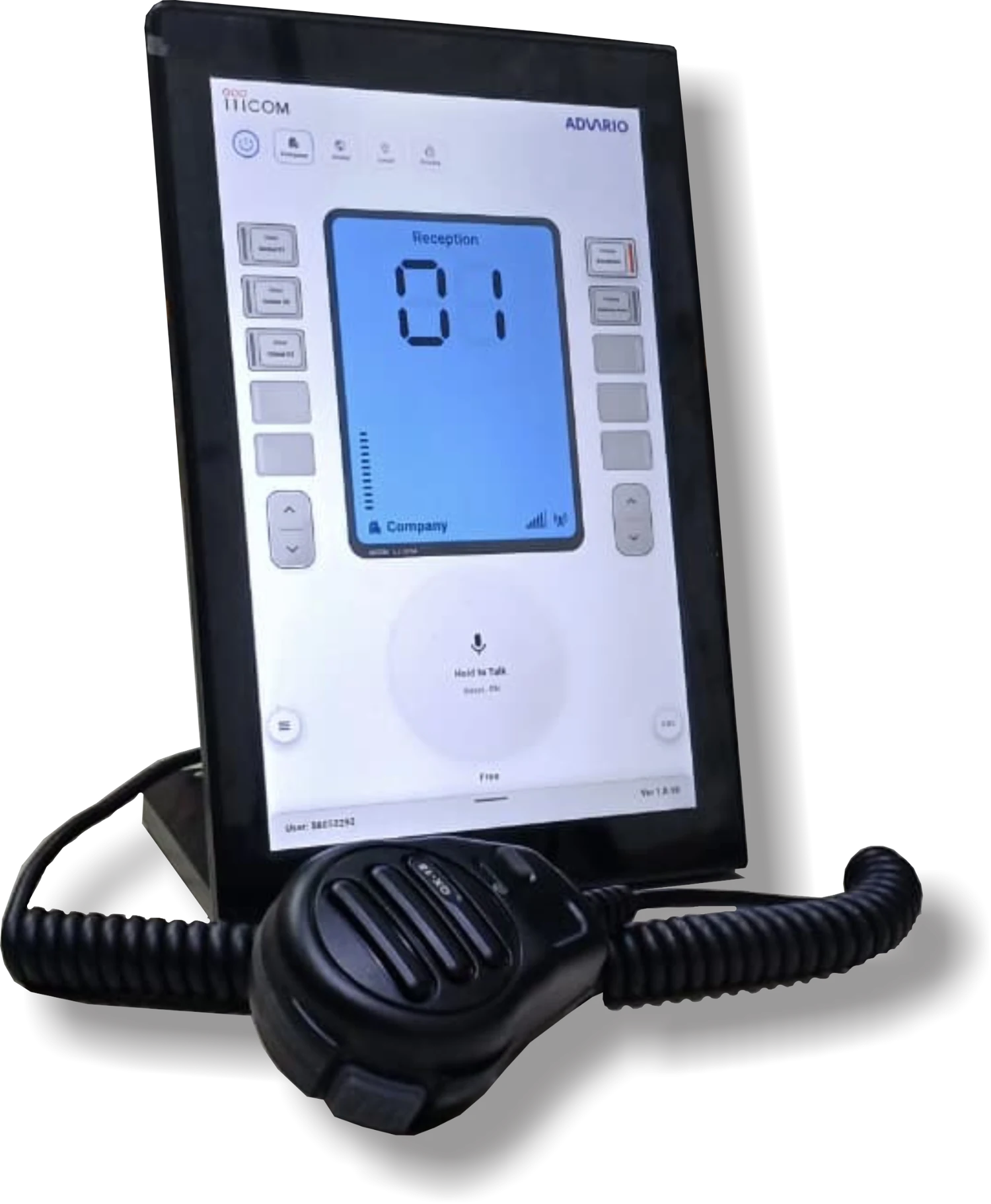
iiiCOM desktop physical PTT device
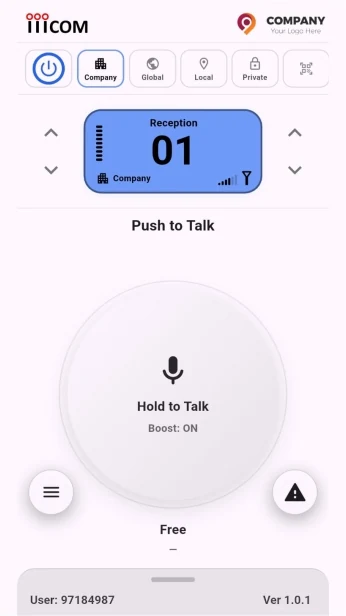
iiiCOM company mode
Talking now John Carter • ID 97184987
Company control Rooms • Roles • Access
The iiiCOM difference

The old radio model stops at voice. iiiCOM adds identity and control.

Traditional radio traffic can be anonymous. In iiiCOM, every user has a permanent unique ID, a display name, a visible speaking identity and an accountable place inside the communication structure.

Speaker identity on every transmission

A user can change the display name, but the permanent User ID remains the same — making every transmission identifiable.

JC

John CarterUser ID: 97184987

Structured communication rooms

Separate communication into Global, Local, Private and Company contexts instead of placing everyone into one undifferentiated channel.

GlobalLocalPrivateCompany

Instant Push-to-Talk

Fast voice communication built around a focused PTT experience — on mobile, desktop and dedicated physical devices.

Hold to TalkPresenceCross-platform

Admin-controlled transmit lock

If a user causes interference, an admin can lock that user's microphone on a schedule or indefinitely. The user can continue listening, but cannot transmit.

Microphone locked by administratorLISTEN ONLY
01:42:18
The app shows the remaining lock time and unlock date.

Company emergency actions

Dedicated emergency actions are separated from normal PTT so urgent instructions are clear, visible and hard to miss.

Assembly Point
Red Alert Siren
White Alert Siren
SOS

Mobile + desktop + physical

The same communication model can extend from smartphones to Windows workstations and fixed physical PTT stations.

Designed for distributed teams

A software-based PTT platform can connect people across workplaces, cities and countries while keeping room structure and user identity consistent.

Field TeamsOperationsControl RoomsMulti-location
Built for many industries

One communication core. Unlimited operational use cases.

From transport and manufacturing to hospitals, hotels and field operations, iiiCOM can adapt to the way different teams work.

TransportationiiiCOM
IndustrialiiiCOM
HospitaliiiCOM
Hotel & HospitalityiiiCOM
ConstructioniiiCOM
LogisticsiiiCOM
SecurityiiiCOM
AviationiiiCOM
MiningiiiCOM
EnergyiiiCOM
RetailiiiCOM
EventsiiiCOM
Ports & MarineiiiCOM
WarehousingiiiCOM
Field ServicesiiiCOM
Emergency ResponseiiiCOM
TransportationiiiCOM
IndustrialiiiCOM
HospitaliiiCOM
Hotel & HospitalityiiiCOM
ConstructioniiiCOM
LogisticsiiiCOM
SecurityiiiCOM
AviationiiiCOM
MiningiiiCOM
EnergyiiiCOM
RetailiiiCOM
EventsiiiCOM
Ports & MarineiiiCOM
WarehousingiiiCOM
Field ServicesiiiCOM
Emergency ResponseiiiCOM
TransportationiiiCOM
IndustrialiiiCOM
HospitaliiiCOM
Hotel & HospitalityiiiCOM
ConstructioniiiCOM
LogisticsiiiCOM
SecurityiiiCOM
AviationiiiCOM
MiningiiiCOM
EnergyiiiCOM
RetailiiiCOM
EventsiiiCOM
Ports & MarineiiiCOM
WarehousingiiiCOM
Field ServicesiiiCOM
Emergency ResponseiiiCOM
TransportationiiiCOM
IndustrialiiiCOM
HospitaliiiCOM
Hotel & HospitalityiiiCOM
ConstructioniiiCOM
LogisticsiiiCOM
SecurityiiiCOM
AviationiiiCOM
MiningiiiCOM
EnergyiiiCOM
RetailiiiCOM
EventsiiiCOM
Ports & MarineiiiCOM
WarehousingiiiCOM
Field ServicesiiiCOM
Emergency ResponseiiiCOM
Choose how you communicate

Start free. Go private when you need it. Add company control when your team grows.

iiiCOM separates everyday public communication, personal private rooms and company-managed operations so each user gets the level of access that matches the way they work.

Free

Global + Local

Install iiiCOM and start using the two free communication modes immediately.

Global Your voice can be heard by iiiCOM users in the Global room around the world.
Local Communicate within your own country. Location permission is used to identify the user's country.

Private

For users who need conversations that stay inside their own private rooms.

Private audio is limited to members of your private room.
Includes 3 private rooms.
Rename your rooms whenever you want.
Add or remove members and manage each room yourself.
$6.99 / month · $69.99 / year Available through the App Store and Google Play.
Company

Company Mode

When a user belongs to an iiiCOM company account, the Company area activates automatically and company-specific capabilities become available.

Company icon and company features activate automatically for assigned users.
Company rooms, roles, permissions, SOS and emergency controls are managed separately from personal modes.
Managers control the company communication structure from the Company Portal.
White-label experience. Company deployments can present the app with the company's own logo and branding, creating the feel of a dedicated communication app for that organization.
Inside the app

One PTT experience. Different operational contexts.

The interface keeps the core PTT action familiar while adapting the available rooms and controls to the user's context.
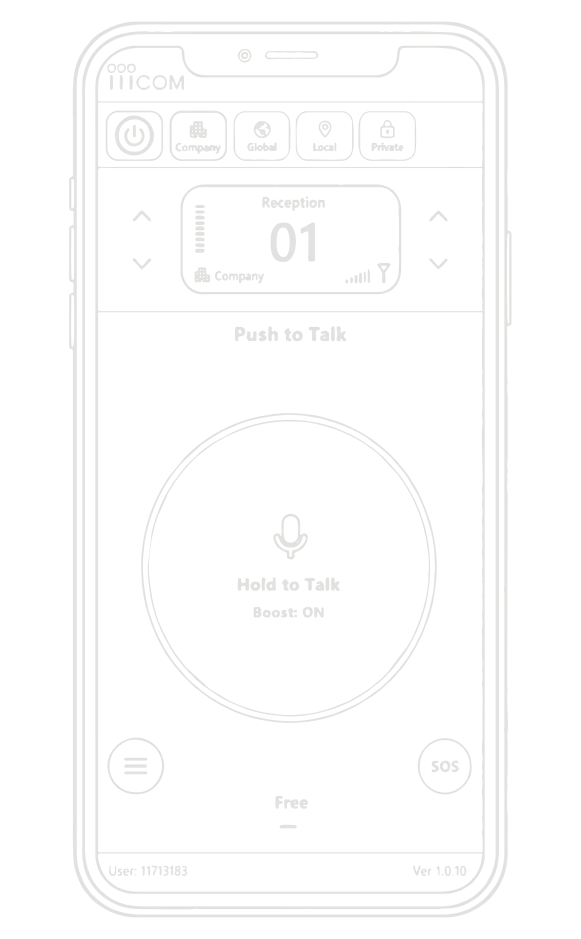
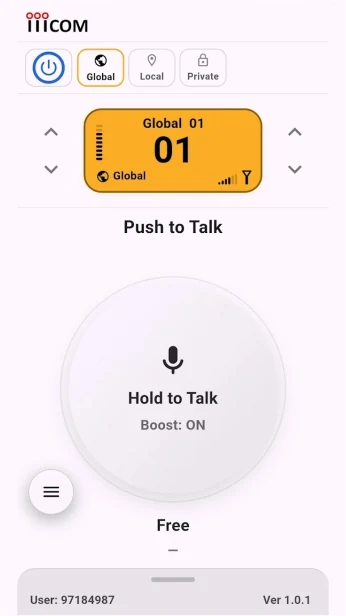
iiiCOM app interface
Global communicationReal iiiCOM application screens.
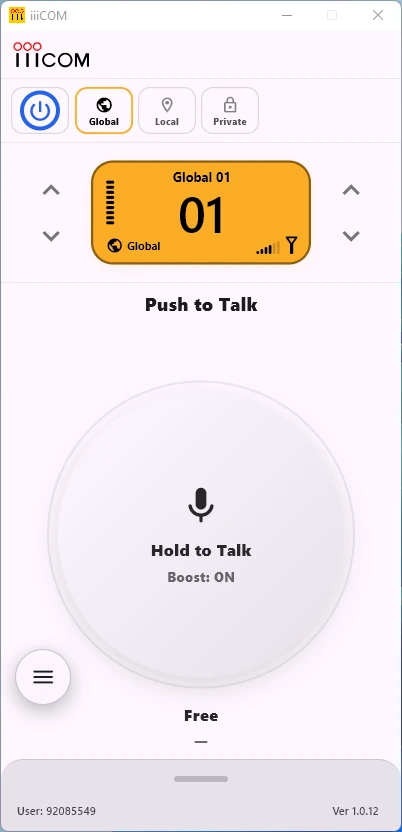
iiiCOM for Windows

Your desktop keeps working. iiiCOM keeps listening.

Use the full Windows client when you need it, or let iiiCOM remain quietly in the background while you work, collaborate or play. Incoming communication can surface without taking over your desktop.
01
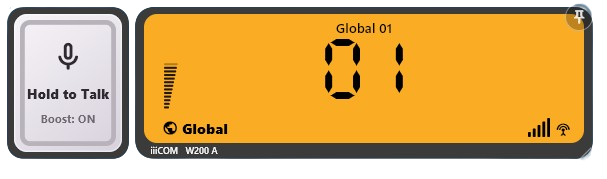
Background Mini LCDWhen another user speaks while iiiCOM is in the background, the compact Mini LCD appears temporarily with the active room and an immediately available PTT control.
02
About 10 seconds, then it gets out of the wayIf you only listen and do not respond, the Mini LCD automatically fades away so your desktop remains clean.
03
Stay in the same workflowYou can keep working on your PC and still remain available to your team without constantly switching back to the communication app.
Company Teamwork PC Workstations Gamers Control & Support Desks
iiiCOM Windows application
iiiCOM Windows Mini LCD
Incoming PTT can appear without taking over the desktop.
APP OPEN
Live visual demo built from the real iiiCOM Windows interface.
For IndividualsDownload iiiCOM and experience Push-to-Talk now.
Try iiiCOM Free
For CompaniesTell us how many users and devices your operation needs.
Apply for Company
Company edition

Your company controls its own communication structure.

Authorized managers get a dedicated company management environment to define rooms, manage users, assign roles and control who can access what.

iiiCOM Company Portal QR login
Secure Company Portal

Managers enter through the dedicated Company Portal. The current login flow uses QR approval from the iiiCOM app.

Open Company Portal
01 / ROOMS
Create & manage roomsDefine company rooms for departments, teams or operational functions.
02 / ACCESS
Room access permissionsControl which users can enter which company rooms.
03 / ROLES
Role-based managementAssign roles and responsibilities to match the company's operating model.
04 / USERS
User administrationManage company members and the features available to them.
05 / CONTROL
Communication & Emergency ControlManagers can apply scheduled or indefinite microphone transmit locks, act on SOS events, and use company emergency actions including Assembly Point, Red Alert and White Alert.
Mic LockSOSAssembly PointRed Alert SirenWhite Alert Siren
SOS escalation

A help request that does not disappear after one notification.

When a user triggers SOS, the manager and members of that user's room are notified that the person needs help. The user's location is sent to the manager, and the SOS alert repeats every three minutes while it remains active.

Repeats every 3 minutes until manager action
1

User triggers SOS

The request is tied to the user's permanent identity.

2

Manager + room are alerted

People in the same room know who needs help.

3

Location goes to manager

The manager receives the user's current SOS location information.

4

Alert stays active

The cycle continues while the SOS is active, until the manager takes action.

iiiCOM desktop physical device
Physical devices

A fixed PTT station for desks, counters and control points.

For locations that need a permanent operating point, iiiCOM can be used with a desktop physical device and hand microphone — while staying inside the same communication environment as mobile and desktop users.

Suitable for reception desks, control points, security desks and operational stations.
Familiar hand-microphone PTT interaction for users coming from traditional radio workflows.
Can be requested as part of a company deployment.
Request company devices
Built to scale beyond one site

One communication model across locations.

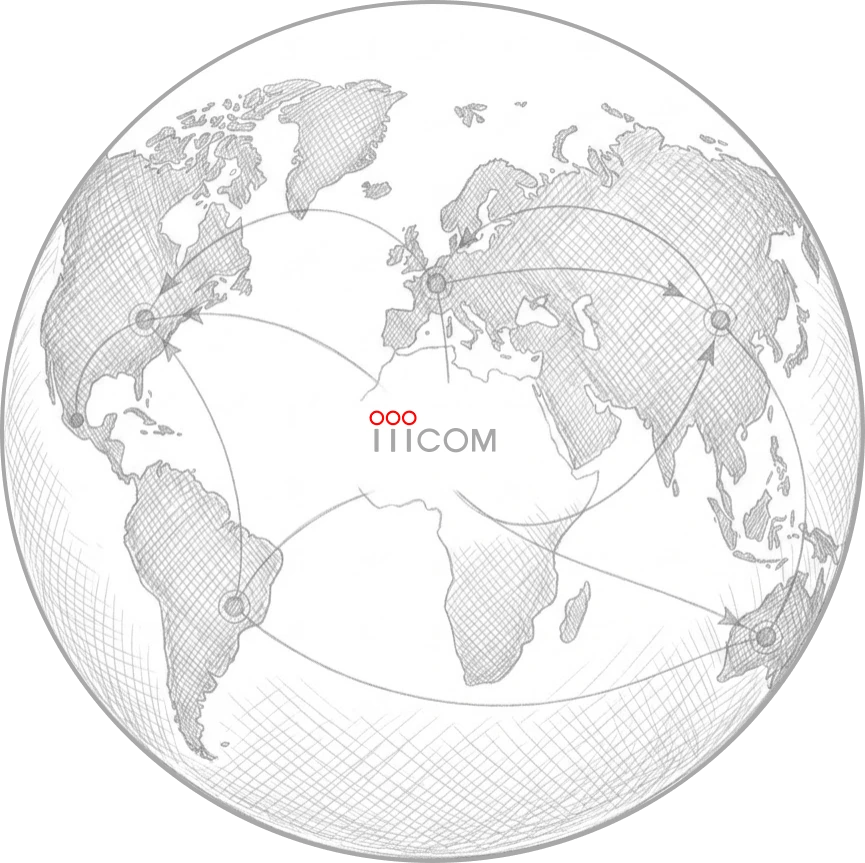
iiiCOM is being developed for international use — connecting operational users without losing room structure, company control or permanent user identity.
Multi-siteMulti-countryCross-platformCentral identity
iiiCOM global network concept
Start a conversation

Talk to iiiCOM — or apply for your company.

Use the general contact form for questions, or send a company application with the number of users and physical desktop devices you expect to need.

Company deploymentsPhysical devicesPTT operations
Form submissions are securely sent to iiiCOM.